Lease extension or room change: 1 wizard, 1 save, no loose ends

A tenant who planned to leave in January asks to stay until June. Another wants to move from a single room to the bigger one upstairs halfway through the year. Both are good news, but a lease extension or a room change usually costs an afternoon of admin: four date fields, a payment plan rebuilt by hand, a credit note for the invoiced month that changes, a new contract to draft and a tenant who has to work out which document to sign.
VIVIN's Change Dates and Change Room Wizards handle each case in one guided flow, for coliving, student housing and mid-term operators. You see exactly what will change before anything is saved, and you save once.
Why a lease extension takes so much admin
- Dates that depend on each other - move the move-out past the contract end and the contract end must move too, on the right day for a monthly contract.
- The payment plan - new months to add, part months to prorate, lines to remove, invoiced months that need credit notes.
- The contract - a whole new contract, one for the extra months only, or an addendum?
Done by hand, an extension can take 45-90 minutes, and a mid-stay room change twice that.
How VIVIN's change dates wizard handles a lease extension
On the booking's Contract Info tab, click the pencil on the dates card (Edit booking dates).
1. Choose how to change the dates
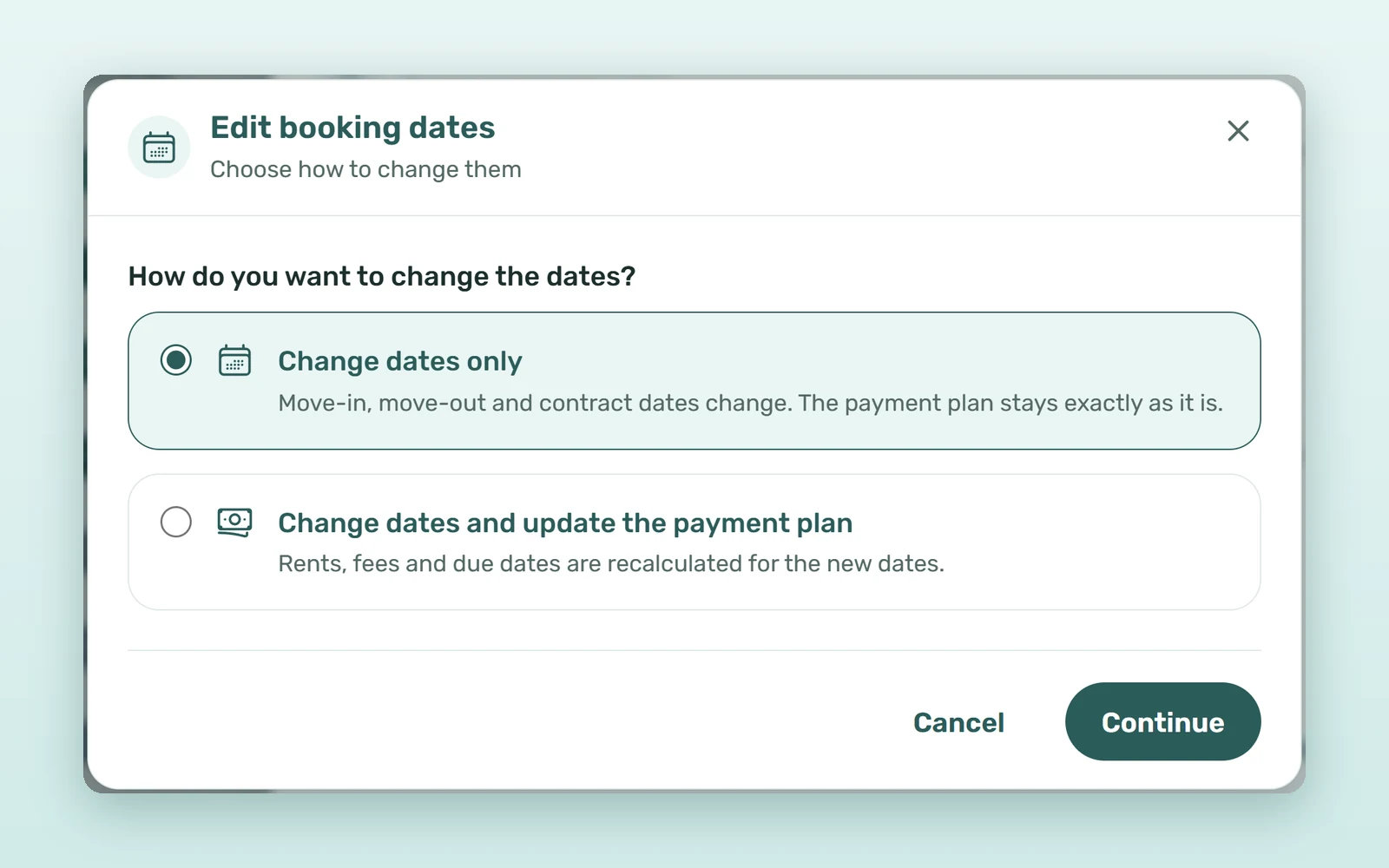
The first question is How do you want to change the dates? Change dates only moves the move-in, move-out and contract dates and leaves the payment plan exactly as it is. Change dates and update the payment plan recalculates rents, fees and due dates for the new dates.
2. Set the dates, with the reasons shown
Change the Move-in, Move-out, Start date or End date; each field shows what it Was. When a contract date moves automatically, the wizard says why: a monthly contract ends on the last day of a month, so moving the move-out from 31 May to 10 June pushes the contract end to 30 June.
3. Preview the payment plan line by line
With a plan update, Payment plan after the date change shows every line before and after, marked New, Changed or Deleted. A line that comes off is deleted if it has no invoice; an invoiced line keeps its invoice and the rest is reversed with a credit note, and money paid on a line that comes down moves to the lines still owed. Tiles sum it up, down to the Rent total before and after.
4. Choose what the tenant signs
When the contract dates change, Regenerate the contract? offers Whole contract, New period only (a separate contract for the added months, while the signed one stays valid) or Addendum (the previous and new terms side by side). The tenant signs the new document in the portal, just like the original from your automated contract generation.
5. Review and save once
Review changes lists the dates, the contract and the payment plan. Nothing is saved until you press Save.
How to change room in the middle of a stay
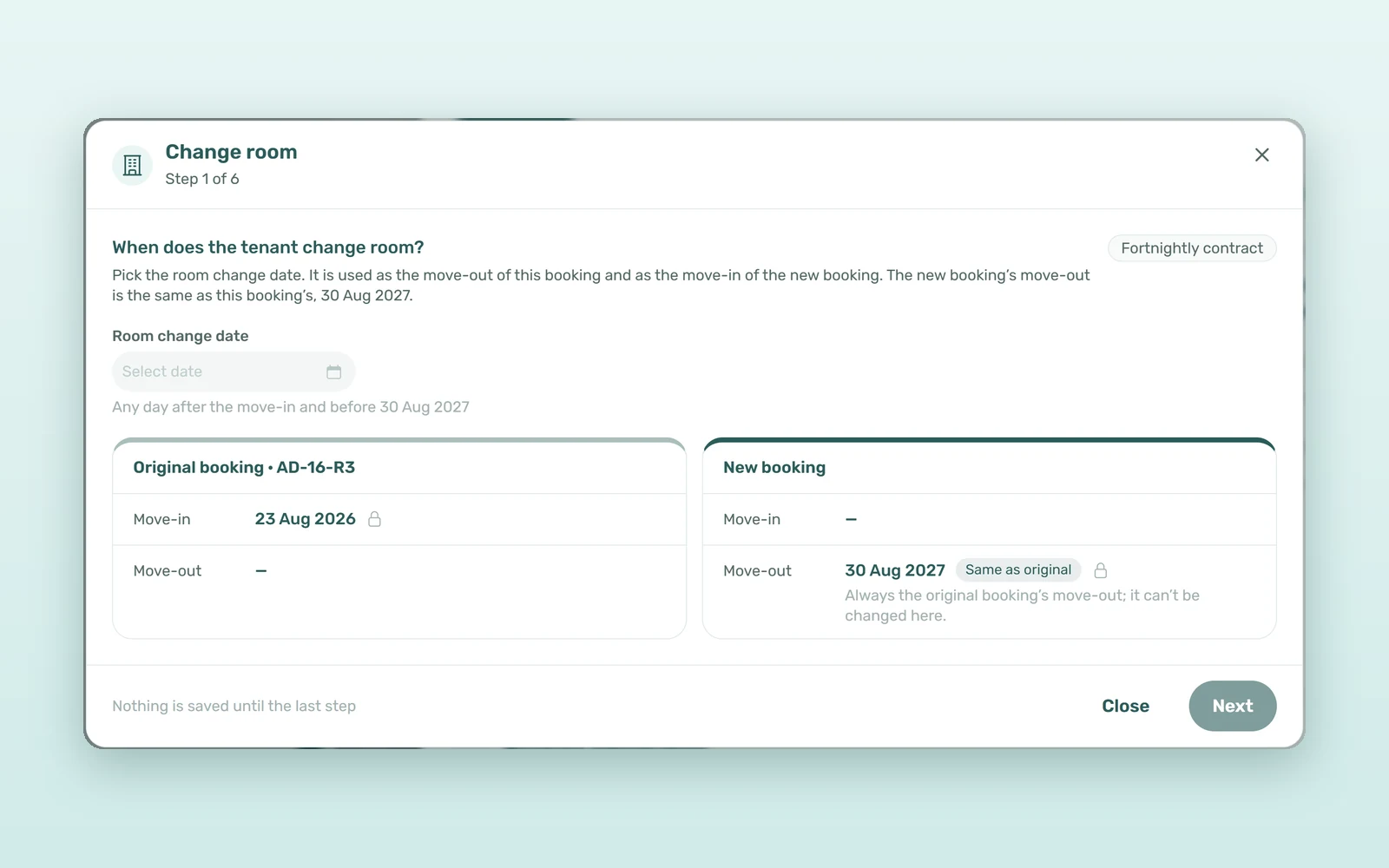
Change room, next to the tenant on Contract Info, is the one entry point for moving a stay. Before check-in it moves the whole booking to the new unit with Move booking. During the stay it opens a wizard that ends this booking on the room change date and continues the stay in a new one (not available for installment contracts during the stay):
- Room change date - the move-out of this booking and the move-in of the new one.
- New unit - any free unit of the account, with the rent and deposit kept, taken from the new unit or typed in.
- Rent charged on both bookings - when the two rents overlap, choose which booking bills that month.
- What changes on the original booking, and what moves - the deposit and exit fee go to € 0 on the original, and their cash moves to the new booking.
- Contracts - the original is regenerated; the new booking gets its own.
- vIBAN - the tenant keeps the same virtual IBAN, or the new booking gets its own.
Nothing is saved until Confirm room change. Afterwards each booking links to the other, and the tenant portal shows both halves: the new room, plus a banner back to the previous one with its history.
How much time does a guided lease extension save?
An illustrative estimate for a 120-room operator with six extensions and two mid-stay room changes a month:
| Task | By hand | With VIVIN |
|---|---|---|
| Lease extension (dates, plan, contract) | 45-90 minutes | 5-10 minutes |
| Mid-stay room change | 1.5-3 hours | 15-20 minutes |
| Credit notes found later | 1-2 a month | Listed before you save |
| Team time per month (6 + 2) | 7.5-15 hours | 1-2 hours |
That is 6-13 hours a month back.
Worked example: five more months of rent
A tenant paying €650 a month until 31 January stays until 30 June. With Change dates and update the payment plan, the wizard adds five New rent lines from February to June, the Rent total rises by €3,250, and New period only creates a contract for 1 February to 30 June for the tenant to sign.
How to set up addenda and extension contracts
- In Settings > Contract, use Upload Addendum Template and turn on Offer the addendum when dates change.
- In the Stay extensions card, choose whether an extension starts on Whole contract or New period only.
- Open the booking's Contract Info, use the dates pencil or Change room, check the preview and save once.
See how booking management in VIVIN handles every change to a stay, with the same all-at-once logic as line-by-line booking cancellation refunds, or book a demo.
Frequently asked questions
How do I extend a tenant's lease in VIVIN?
Open the booking's Contract Info tab and click the pencil on the dates card. Choose Change dates and update the payment plan, set the new move-out, check the new lines in the payment plan preview, pick Whole contract, New period only or Addendum, and save once on Review changes.
What is a contract addendum and when should I use it?
An addendum amends a contract that is already signed, showing the previous and the new terms side by side, instead of replacing it. VIVIN offers it on date changes once you upload an addendum template and turn on Offer the addendum when dates change; the signed contract stays in the booking's files.
What happens to the deposit when a tenant changes room?
On a mid-stay room change, the original booking's deposit and exit fee go to zero, and their cash, with any free credit, moves to the new booking, where it pays the lines by priority. Invoiced lines that change are corrected with credit notes, created un-issued for your team to issue.
Can I change the dates of an Airbnb or Booking.com booking?
Not in VIVIN. Bookings from the Airbnb and Booking.com connection mirror the reservation on the platform, so their dates are locked. Change, extend or shorten the stay on the platform itself, and the new dates and amounts sync back to VIVIN automatically, payment plan included.
Change the stay, not the spreadsheet. When dates, payment plan and contract move together in one save, an extension is good news again.